
VIP Cloud
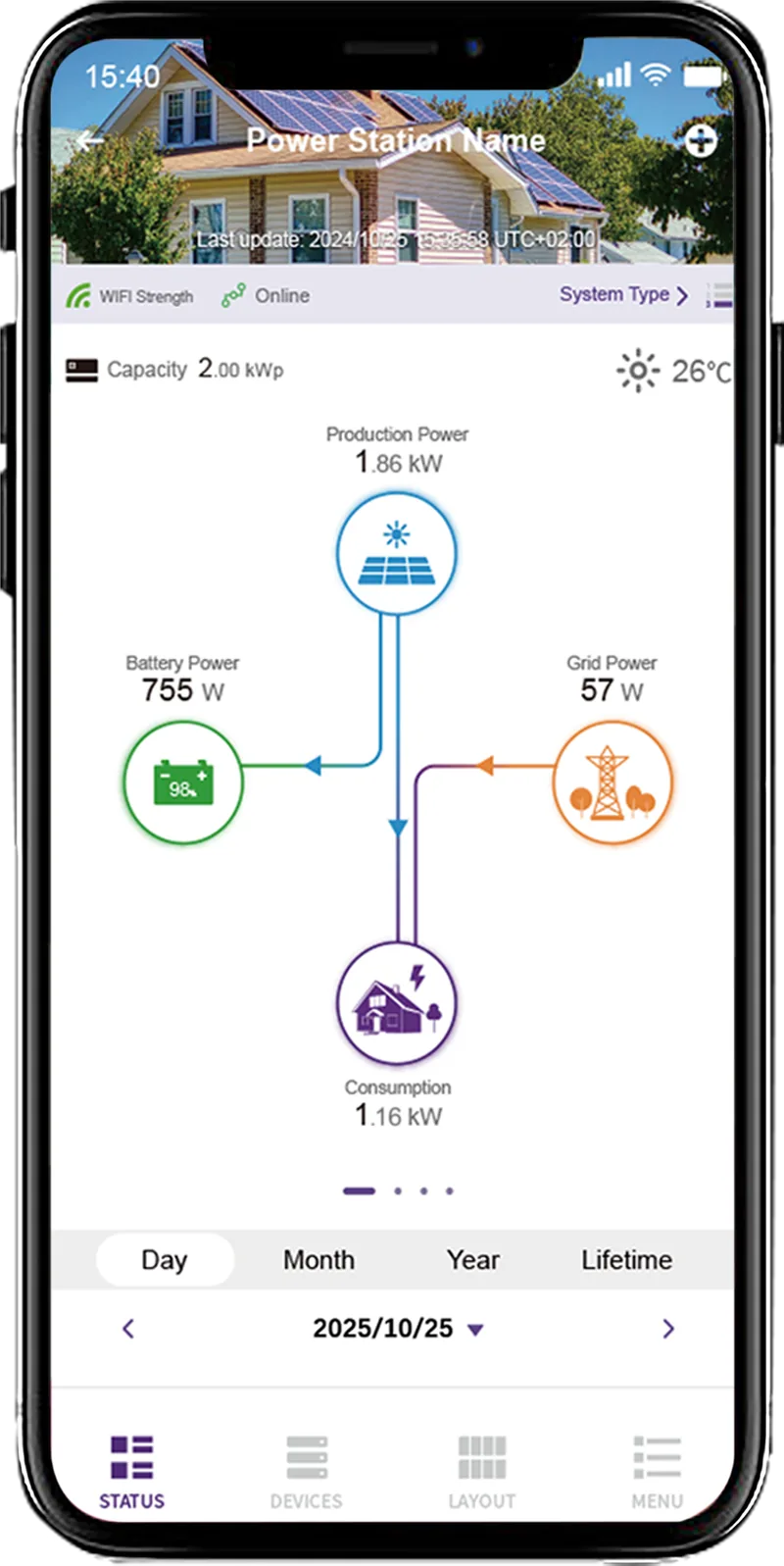
One app for the whole VaySunic system: live data every second, simple pairing, a local mode that works without the internet — and open local and cloud APIs for business partners.
 CloudVIP Cloud
* With good signal, a working network and a normal device connection.
Your whole system, live in one app.
Built by our own software team for VaySunic microinverters, storage, chargers and local controllers — simple for homeowners, open for partners.
Live every second
Generation, storage, consumption and charging refreshed every second.
Plant sharing
Share a system with family, your installer or a partner.
Simple to use
Clear energy flows and plain controls for everyday use.
Pairing in 10 seconds*
Add a device in the app and it is online in about 10 seconds*.
* With good signal, a working network and a normal device connection.
Local mode
Connect straight to your devices on site — even without the internet.
Open API
Local and cloud APIs let business partners bring VaySunic into their own apps and platforms — Home Assistant, for example.
Works with the cloud. Works without it.
In local mode the app talks directly to your devices, so you can still check and control your system when the internet is down.
Cloud mode
Anywhere, any time: monitoring, strategies, history and remote service through VIP Cloud.
Local mode
On site, direct to the device: see key information and control local devices such as your ChargeFlow charger — no internet needed.
- See key device information
- Control local devices, e.g. ChargeFlow
- Keeps working when the internet is down
For homeowners and for the people who look after them.
VIP Cloud
Live energy flows, history, time-of-use strategies, plant sharing and local mode — on iOS, Android and the web.
Get the app For installers and distributorsVIP Professional
App and web platform: monitor many sites in one place, share and service plants, and diagnose remotely.
VIP ProfessionalVIP Cloud in action.
Playing a video loads it from YouTube (Google), which then receives your IP address. Privacy policy
Get VIP Cloud.
Scan the code with your phone, or search for “VIP Cloud” in the App Store or on Google Play. Installers and distributors use VIP Professional.



Complete the system.
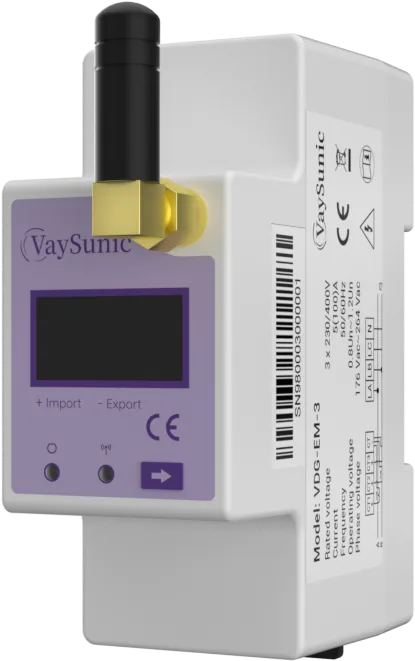
EnergyPilot
VDG-EM-1 · VDG-EM-3
- 1-phase / 3-phase
- Local EMS
- Export limitation
2-year limited warranty (Europe) — See warranty periods
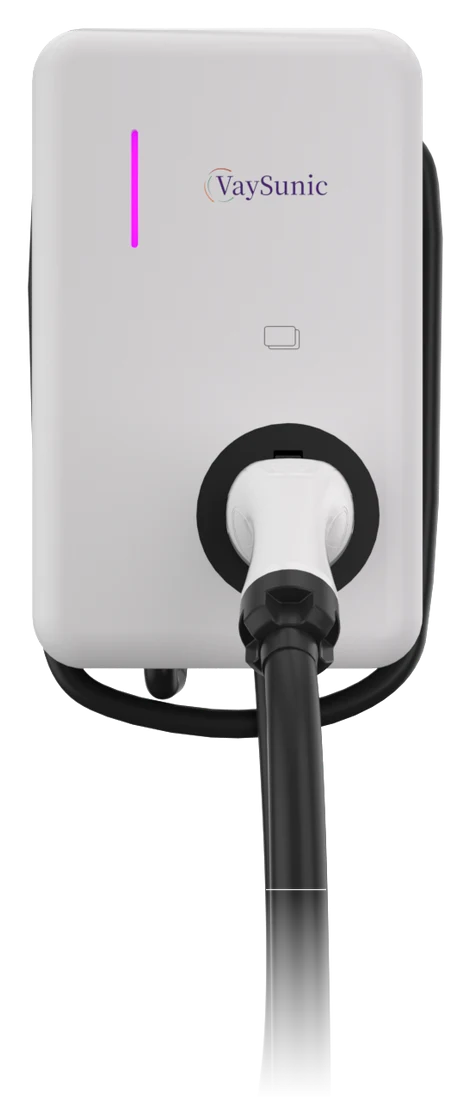
ChargeFlow
VC-W7K · VC-W11K · VC-W22K · KS socket · KC cable
- 7 / 11 / 22 kW
- Socket or cable
- IP65 · IK08
2-year limited warranty (Europe) — See warranty periods
Let’s plan your next project.
Distribution, installation or your own brand — tell us what you need and the right person will reply.